
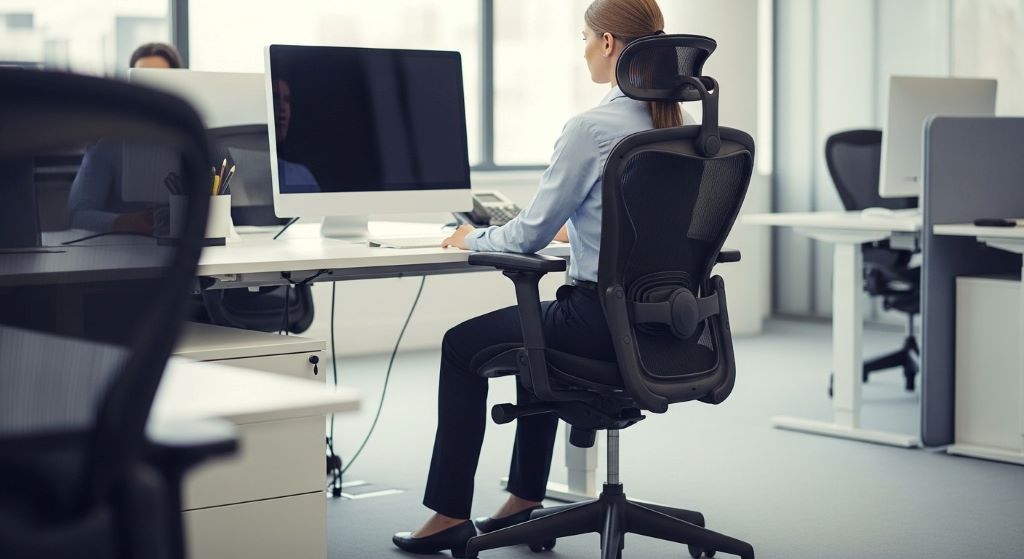
Spending hours at a desk can take a serious toll on your back. Many office workers experience pain, stiffness, and discomfort simply because their workspace isn’t properly configured. The good news is that creating a back-friendly office setup doesn’t require expensive equipment or a complete overhaul of your workspace. By starting with the foundation of any good workspace—your chair—you can dramatically reduce back pain and improve your overall comfort throughout the workday.
Your office chair serves as the cornerstone of your entire workspace. When properly adjusted, it supports your spine’s natural curve and distributes your body weight evenly. However, even the most expensive ergonomic chair becomes ineffective if you don’t adjust it correctly. This guide will walk you through creating a workspace that protects your back, beginning with the most critical element: your seating position.
Understanding Why Your Chair Matters
The human spine has a natural S-shaped curve that needs support throughout the day. When you sit in a poorly adjusted chair, this curve flattens or becomes exaggerated, placing stress on your muscles, ligaments, and vertebral discs. Over time, this stress leads to chronic pain, reduced mobility, and even long-term spinal problems.
Think of your chair as the foundation of a building. If the foundation is unstable or improperly positioned, everything built upon it suffers. Similarly, when your chair doesn’t provide adequate support, your entire body compensates. Your shoulders hunch forward, your neck cranes to see your monitor, and your arms strain to reach your keyboard. These compensatory postures create a cascade of musculoskeletal issues that extend far beyond your lower back.
Additionally, proper seating affects your circulation and energy levels. When you slouch or sit awkwardly, blood flow to your legs decreases, leading to numbness and fatigue. A well-adjusted chair promotes healthy circulation and helps you maintain focus throughout the day.
Adjusting Your Chair Height Correctly
Finding the right chair height is perhaps the single most important adjustment you can make for back health. Therefore, take time to get this setting exactly right. Your feet should rest flat on the floor with your thighs parallel to the ground. This position ensures that your weight distributes evenly across your sitting bones rather than concentrating pressure on your tailbone or thighs.
Start by sitting all the way back in your chair with your buttocks against the backrest. Now look at your knees. They should form a 90-degree angle, with your feet planted firmly on the floor. If your feet dangle, lower your chair. If your knees are higher than your hips, raise it. Many people underestimate how crucial this seemingly simple adjustment is for preventing back pain.
However, if you’re particularly tall or short, you might need additional modifications. Tall individuals may need to raise their desks to accommodate a higher chair position. Conversely, shorter people often benefit from using a footrest to achieve the proper leg angle. The key is maintaining that 90-degree knee bend regardless of your height.
Consider the type of work you do as well. If you frequently stand up and sit down, you might prefer a slightly lower position for easier transitions. On the other hand, if you remain seated for extended periods, prioritizing the 90-degree angle becomes even more critical for circulation and comfort.
Configuring Lumbar Support
Once you’ve established the proper workstation ergonomics, chair height becomes just one piece of the puzzle. Your lower back needs dedicated support to maintain its natural inward curve. Most ergonomic chairs include adjustable lumbar support, which should nestle into the small of your back, just above your belt line.
Adjust the lumbar support both vertically and horizontally until you feel gentle, consistent pressure supporting your lower spine. The support shouldn’t push your back forward uncomfortably, nor should it be so subtle that you barely notice it. Instead, it should feel like a firm but gentle hand supporting your lower back’s natural arch.
If your chair lacks built-in lumbar support, don’t despair. A small cushion or rolled towel placed at your lower back works remarkably well. Position it so that when you sit back fully, it fills the gap between your lower back and the chair. This simple modification can transform an ordinary chair into a back-saving tool.
Setting the Correct Backrest Angle
Your backrest angle significantly impacts spinal health. While sitting bolt upright at 90 degrees might seem ideal, research suggests a slightly reclined position of 100 to 110 degrees actually reduces disc pressure and muscle strain. This subtle recline allows your backrest to share more of your upper body’s weight.
Experiment with your backrest angle throughout the day. Some tasks require you to lean forward slightly, such as intense writing or detailed work. For these activities, a more upright position works well. However, for reading, phone calls, or contemplative work, reclining slightly reduces back strain significantly.
Lock your backrest at your preferred angle if your chair allows it. Otherwise, ensure the tension adjustment matches your body weight so the chair provides resistance without fighting you. The backrest should support you without pushing you forward or allowing you to fall backward unexpectedly.
Armrest Positioning
Armrests often get overlooked, yet they play a vital role in reducing shoulder and upper back strain. Your arms should rest lightly on the armrests with your shoulders relaxed and your elbows forming a 90-degree angle. The armrests should be high enough to support your forearms without forcing your shoulders upward, but not so low that you lean or reach down to use them.
Additionally, armrests should allow you to pull your chair close to your desk. If they prevent this, they force you to reach forward for your keyboard and mouse, creating shoulder and upper back tension. Many adjustable armrests can move inward, outward, forward, and backward. Use these adjustments to find a position that supports your arms while allowing proper desk access.
Some people prefer to work without armrests, especially during intensive typing. This approach works fine as long as your desk height supports your forearms properly. The goal is preventing your shoulders from hunching or your arms from hanging unsupported, which creates muscle fatigue and pain.
Optimizing Your Desk Height
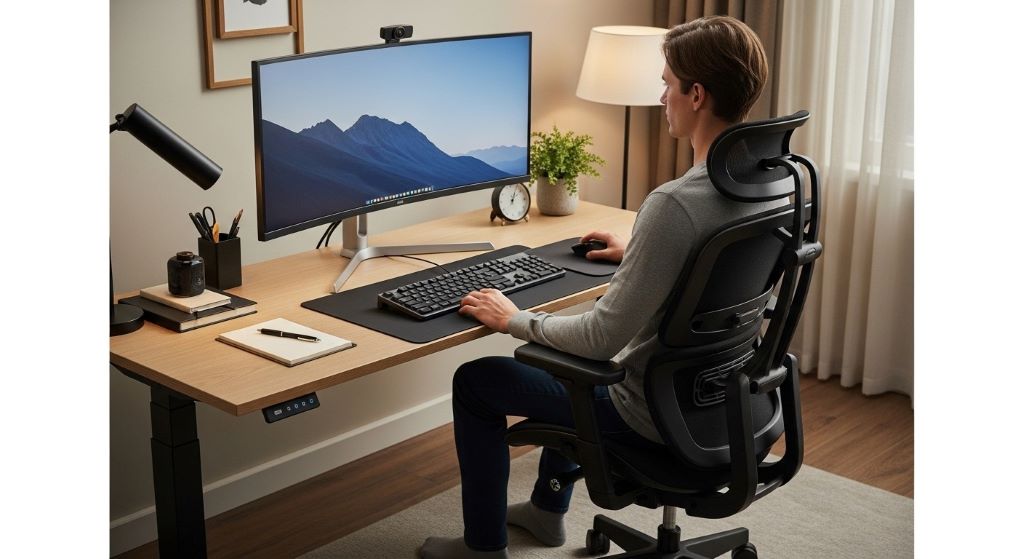
Your desk height works in tandem with your chair settings to create optimal workstation ergonomics, chair height being the starting point for these adjustments. When you’re seated correctly, your desk should allow your forearms to rest parallel to the floor while typing. Your wrists should remain straight rather than angled up or down.
Many standard desks sit at 29 or 30 inches high, which works for people of average height with properly adjusted chairs. However, you might need modifications if this height doesn’t match your proportions. Desk risers can elevate your work surface, while keyboard trays can lower your typing level without changing your entire desk.
Consider a sit-stand desk if your budget allows. Alternating between sitting and standing throughout the day reduces static loading on your spine and engages different muscle groups. Even standing for just 15 minutes every hour provides significant benefits for back health and overall wellness.
Monitor Placement and Viewing Angle
Your monitor’s position affects your neck and upper back significantly. The top of your screen should sit at or slightly below eye level when you’re sitting upright. This positioning prevents you from tilting your head up or down, which strains your neck muscles and can lead to tension headaches.
Place your monitor at arm’s length away—typically 20 to 30 inches from your eyes. You should be able to easily read the text without leaning forward or squinting. If you find yourself moving closer to see clearly, increase your font size or zoom level rather than adjusting your posture.
Furthermore, position your monitor directly in front of you rather than off to one side. Consistently turning your head to view a screen creates muscle imbalances and can lead to chronic neck pain. If you regularly reference paper documents, use a document holder positioned between your keyboard and monitor to minimize head turning.
Keyboard and Mouse Positioning
Keep your keyboard directly in front of you with the center aligned with your body’s midline. Your wrists should remain straight while typing, without bending up, down, or to either side. A keyboard tray can help achieve this position, especially if your desk sits too high for comfortable typing.
Your mouse should sit at the same level as your keyboard, close enough that you don’t need to reach for it. Reaching repeatedly for a distant mouse creates shoulder and upper back strain that accumulates throughout the day. Consider a vertical mouse or trackpad if you experience wrist discomfort with traditional mice.
Taking Regular Movement Breaks
Even perfect ergonomics can’t overcome the fundamental problem with sitting: humans aren’t designed for prolonged static postures. Therefore, schedule regular breaks to stand, stretch, and move. The 20-20-20 rule works well: every 20 minutes, take 20 seconds to look at something 20 feet away. Additionally, stand and walk for at least two minutes every hour.
These breaks don’t need to be disruptive. Stand during phone calls, walk to discuss issues with colleagues instead of emailing, or simply stand and stretch at your desk. Movement increases blood flow, reduces muscle tension, and improves both physical and mental performance.
Assessing and Adjusting Over Time
Creating a back-friendly workspace isn’t a one-time task. Your needs change based on footwear, clothing, energy levels, and the specific tasks you’re performing. Check your posture regularly throughout the day and make small adjustments as needed.
Pay attention to discomfort signals. If you notice tension developing in your shoulders, neck, or lower back, assess your setup before the discomfort becomes pain. Small tweaks often provide immediate relief and prevent chronic problems from developing.
Creating Supportive Workspace Habits
Beyond physical adjustments, develop habits that protect your back. Sit fully back in your chair rather than perching on the edge. Avoid crossing your legs, which tilts your pelvis and strains your lower back. Keep frequently used items within easy reach to minimize twisting and reaching.
Stay hydrated and maintain good overall posture awareness. Strong core muscles support your spine more effectively than any chair can, so consider incorporating core-strengthening exercises into your routine. Simple activities like walking, swimming, or yoga complement your ergonomic workspace by building the strength and flexibility your back needs.
Conclusion
Creating a back-friendly office setup begins with your chair, but extends to every element of your workspace. By properly adjusting your chair height, configuring lumbar support, positioning your desk and equipment correctly, and developing healthy movement habits, you can dramatically reduce back pain and improve your comfort throughout the workday. Remember that optimal workstation ergonomics, chair height, and equipment positioning work together to support your spine’s natural alignment. Small adjustments today prevent significant pain tomorrow, making the time invested in proper setup worthwhile for your long-term health and productivity.
Frequently Asked Questions
How often should I adjust my office chair settings?
You should reassess your chair settings whenever you change shoes, experience discomfort, or start a new task requiring a different posture. At minimum, evaluate your setup monthly to ensure everything remains properly configured for your needs.
Can a footrest really make a difference for back pain?
Yes, absolutely. A footrest helps shorter individuals achieve the proper 90-degree knee angle when their feet don’t reach the floor comfortably. This proper positioning reduces pressure on the thighs and supports healthy spinal alignment throughout the day.
What’s the ideal sitting duration before taking a break?
Research suggests standing or moving for at least two minutes every hour. However, even brief 20-second stretches every 20 minutes provide benefits. The key is avoiding static postures for extended periods regardless of how ergonomic your setup is.
Do I need an expensive ergonomic chair to prevent back pain?
Not necessarily. While quality chairs offer more adjustability and support, even basic chairs can work well with proper adjustments and additions like lumbar cushions. Focus on achieving correct positioning rather than chair cost.
Should my chair have wheels or be stationary?
Wheeled chairs offer mobility benefits for reaching different areas of your desk, but ensure they’re appropriate for your flooring type. On hard floors, use soft wheels; on carpet, use hard wheels. Stability matters more than mobility for spinal support.
Related Topics:
Ergonomic Bath Pillows: Our Picks for the Best Comfort in 2025
Best Bed Wedge Pillows for GERD and Heartburn: Our Expert Picks