
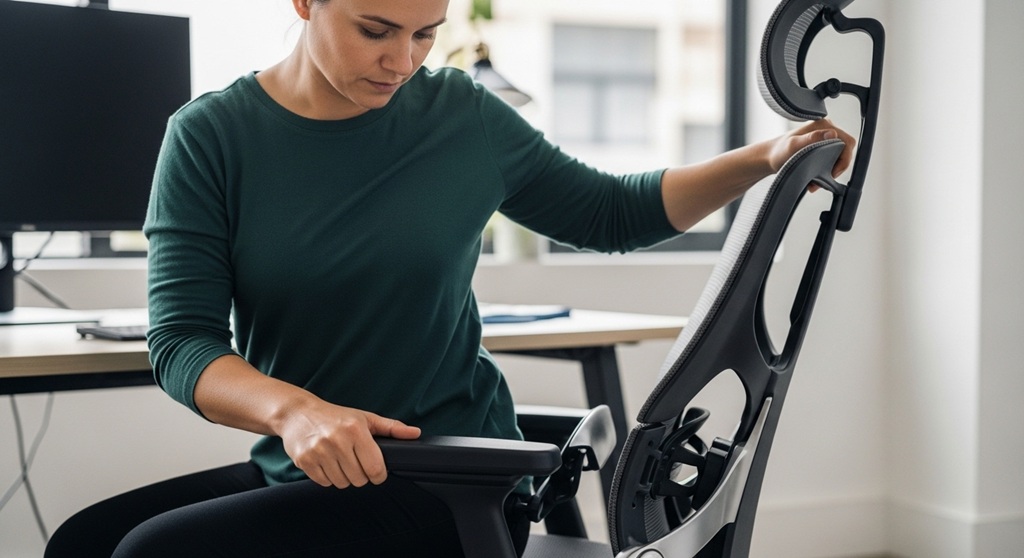
Most people spend 6–10 hours a day sitting at a desk. Yet many never adjust their chair correctly. As a result, they deal with back pain, stiff shoulders, poor posture, and fatigue. The chair may be ergonomic, but improper adjustment removes most of its benefits.
An ergonomic office chair is designed to support the spine, reduce pressure on joints, and maintain a neutral sitting posture. However, the real advantage appears only when every feature—height, lumbar support, seat depth adjustment, and tilt mechanism chair settings—is properly configured.
According to research published by the Occupational Safety and Health Administration (OSHA), poor sitting posture is one of the leading causes of workplace musculoskeletal disorders. These issues cost businesses billions annually in productivity losses and medical expenses.
The good news is that adjusting your chair takes less than five minutes and can significantly improve comfort and productivity.
In this guide, you’ll learn how to properly configure every part of your ergonomic office chair—from seat height to tilt tension—so you can work longer without discomfort.
Why Is Proper Ergonomic Chair Adjustment Important?
Short answer: Proper chair adjustment keeps the spine aligned, reduces pressure on joints, and improves circulation.
An ergonomic chair only works when it matches your body dimensions. When the seat height, lumbar support, or seat depth is incorrect, the body compensates by leaning forward or slouching.
This creates stress on the lower back and neck.
A study conducted by Cornell University’s Ergonomics Lab found that employees who used properly adjusted ergonomic chairs reported:
- 54% reduction in lower back discomfort
- 38% improvement in posture stability
- 17% increase in typing productivity
Improper sitting posture can also affect circulation. If the seat height is too high, pressure builds under the thighs, reducing blood flow. If it’s too low, the spine curves unnaturally.
Correct adjustments distribute body weight evenly across the hips and thighs while maintaining natural spinal alignment.
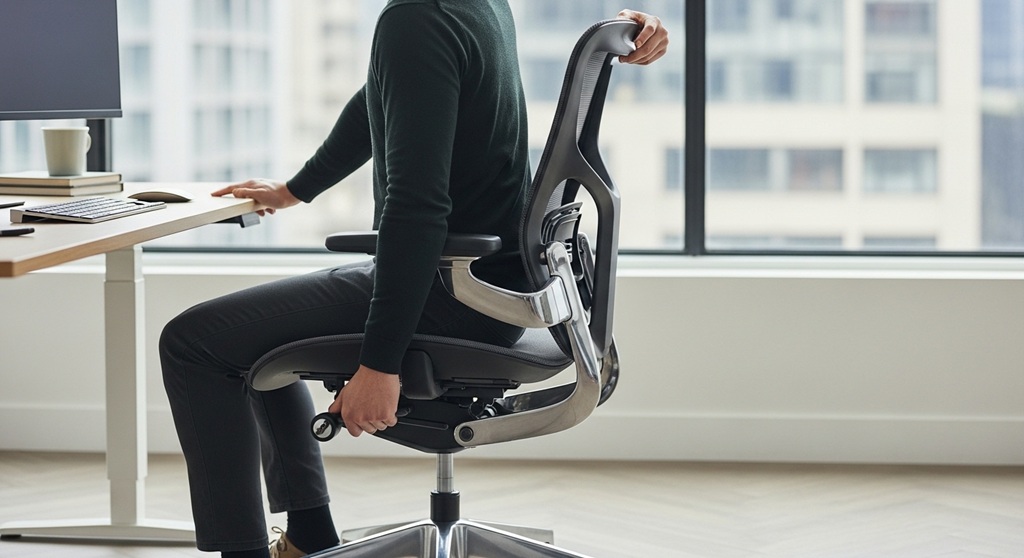
How Do You Adjust the Seat Height Correctly?
Quick answer: Adjust the seat height so your feet rest flat on the floor and your knees stay at a 90–100° angle.
Seat height is the first adjustment to make because every other setting depends on it.
Steps to Adjust Seat Height
- Stand in front of the chair.
- Adjust the height so the seat is just below your kneecaps.
- Sit down and place both feet flat on the floor.
- Your knees should align with or slightly below hip level.
Most ergonomic chairs use a pneumatic lever to adjust height.
The correct height allows your elbows to align naturally with the desk when typing. This prevents shoulder strain and wrist pressure.
If your desk height cannot be changed, consider using a footrest to maintain proper alignment.
What Is Seat Depth Adjustment and Why Does It Matter?
Short answer: Seat depth adjustment ensures the seat supports your thighs without pressing behind the knees.
Many people overlook seat depth, yet it plays a key role in comfort and circulation.
A seat that is too deep forces users to sit forward. This removes back support and increases spinal stress.
A seat that is too shallow fails to support the thighs, causing weight concentration on the hips.
How to Adjust Seat Depth
- Sit fully against the backrest.
- Slide the seat forward or backward.
- Maintain a gap of 2–3 fingers between the seat edge and the back of your knees.
This position distributes weight evenly and prevents pressure on blood vessels behind the knees.
If you’re researching chairs that offer this feature, many models listed in
seat depth adjustment
capabilities provide better support for different body sizes.
How Should Lumbar Support Be Positioned?
Short answer: Lumbar support should fit into the natural curve of the lower spine.
The human spine naturally curves inward at the lower back. When sitting for long periods, this curve tends to flatten unless supported.
Without lumbar support, the upper body leans forward. Over time, this leads to slouching.
Correct Lumbar Adjustment
- Sit back fully against the chair.
- Raise or lower the lumbar pad.
- Position it so it fits snugly into the lower back curve.
This maintains the spine’s natural “S” shape and reduces disc pressure.
According to the National Institutes of Health, proper lumbar support can decrease spinal disc pressure by up to 30% compared to unsupported sitting.
How Does the Tilt Mechanism Chair Improve Comfort?
Short answer: A tilt mechanism allows the chair to recline while maintaining back support.
The tilt mechanism chair function allows small reclining movements while working.
Many users lock their chairs upright. This is a mistake.
Slight recline reduces pressure on spinal discs and encourages micro-movements that improve circulation.
Recommended Tilt Settings
- Recline angle: 100°–110°
- Adjust tilt tension so the chair moves easily but remains stable
- Use tilt lock for focused tasks if needed
A study from the Canadian Centre for Occupational Health and Safety found that a recline angle of 110° reduces spinal pressure compared to a rigid 90° sitting posture.
That is why many high-quality ergonomic chairs include advanced tilt controls.
How Should Armrests Be Adjusted?
Short answer: Armrests should support the elbows without raising the shoulders.
Incorrect armrest positioning can cause shoulder tension and wrist strain.
Correct Armrest Adjustment
- Keep elbows close to the body.
- Adjust armrest height until forearms rest naturally.
- Maintain a 90° elbow angle.
If the armrests push your shoulders upward, they are too high.
If your arms drop downward, they are too low.
Adjustable armrests are particularly useful for people who switch between typing, writing, and using a mouse.
How Should the Headrest Be Positioned?
Short answer: The headrest should support the back of the head when reclining.
Headrests are often misunderstood.
They are not meant to support your head while typing.
Instead, they provide support when leaning back.
How to Adjust the Headrest
- Raise or lower the headrest until it touches the middle of the head.
- Angle it slightly forward if adjustable.
- Use it primarily during reclining.
This prevents neck strain during breaks or reading tasks.
What Is the Ideal Sitting Posture for Office Work?
Short answer: The ideal posture keeps the ears, shoulders, and hips aligned vertically.
Even with a well-adjusted chair, posture still matters.
Healthy Sitting Checklist
- Feet flat on the floor
- Knees level with hips
- Back fully supported
- Elbows at 90 degrees
- Monitor at eye level
Maintaining this posture reduces strain across the entire musculoskeletal system.
What Are Common Ergonomic Chair Adjustment Mistakes?
Many users unknowingly misuse their chairs.
Common Mistakes
- Seat height too low
- Ignoring seat depth adjustment
- Locking the tilt mechanism permanently
- Leaning forward instead of using back support
- Using armrests incorrectly
Correcting these simple mistakes often eliminates most office-related discomfort.
Conclusion: How Can You Maximize Comfort From Your Ergonomic Chair?
An ergonomic office chair is only as effective as its adjustments.
By properly configuring seat height, lumbar support, seat depth adjustment, and the tilt mechanism chair function, you can significantly improve comfort during long work sessions.
Small adjustments lead to major improvements in posture, circulation, and productivity.
If you are considering upgrading your workspace, explore ergonomic chair options designed with adjustable support systems that match different body types and work styles.
The right chair, correctly adjusted, can transform how you work every day.
Take five minutes today to adjust your chair properly. Your back will thank you.
Frequently Asked Questions
How often should I adjust my ergonomic chair?
You should reassess your chair adjustments whenever you change desk height, monitor position, or working habits. Small adjustments every few weeks help maintain proper posture.
What seat depth is best for most users?
Most ergonomic experts recommend maintaining a 2–3 finger gap between the seat edge and the back of the knees. This prevents circulation restriction.
Should I use the tilt feature while working?
Yes. Allowing the chair to tilt slightly promotes movement and reduces spinal pressure. Locking the chair rigidly can increase fatigue during long sessions.
Is lumbar support necessary?
Yes. Lumbar support maintains the natural spinal curve and reduces lower back strain. Without it, users tend to slouch forward.
Can an ergonomic chair fix back pain?
An ergonomic chair cannot cure medical conditions. However, proper chair adjustments can significantly reduce posture-related discomfort.
Do armrests improve typing posture?
Yes, when correctly adjusted. Armrests help support the forearms and reduce shoulder tension while typing.
How long should I sit before taking breaks?
Experts recommend standing or stretching every 30–45 minutes to improve circulation and reduce muscle stiffness.
Related Topic: How to Choose Eco-Friendly Surf Shoes Without Compromising Performance
Read Next: How to Make Your Cycling Shoes Last Longer