
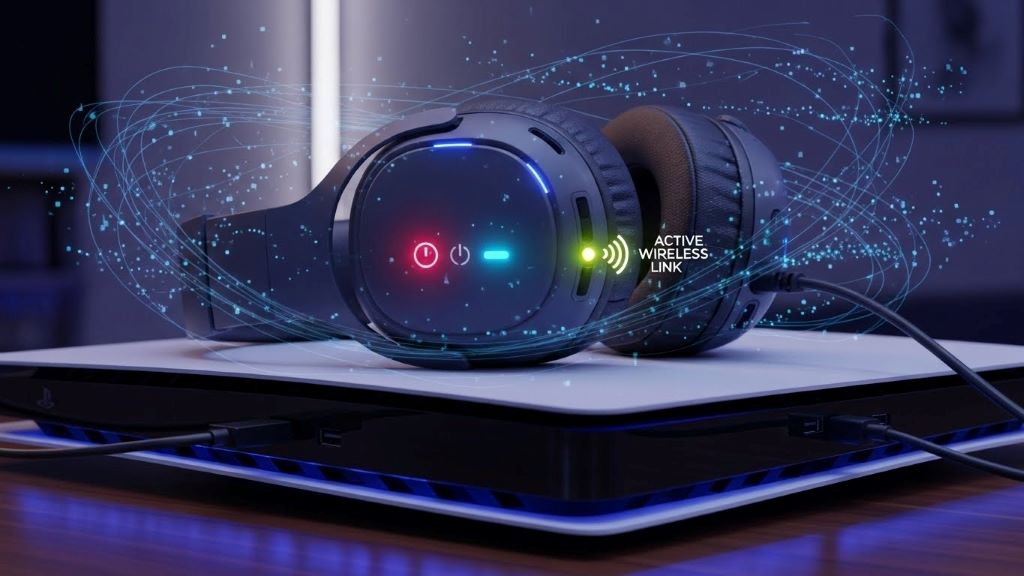
Gaming on the PlayStation 5 offers incredible immersive experiences. However, audio connectivity can sometimes present unexpected challenges. Many players encounter frustrating wireless audio issues without understanding the root cause. According to experts at Headphones Unboxed, these problems often stem from hidden conflicts that affect your gaming sessions. Understanding these issues helps you enjoy uninterrupted gameplay with crystal-clear sound quality.
Understanding PS5 Bluetooth Limitations
The PlayStation 5 has specific wireless audio capabilities that differ from other devices. Many gamers wonder does ps5 have bluetooth for headphones and discover the answer isn’t straightforward. Sony designed the console with certain restrictions on standard Bluetooth audio devices. Therefore, recognizing these limitations helps prevent connectivity problems before they start.
The PS5 supports wireless audio through specific methods. However, it doesn’t natively support all Bluetooth headphones like smartphones do. This design choice relates to audio latency concerns and bandwidth management. Consequently, players must understand which wireless options work best with their console.
Common Sources of Wireless Interference
Wireless audio conflicts arise from various environmental factors. Your gaming setup contains multiple devices competing for signal space. These devices can interfere with each other unexpectedly. Identifying interference sources is the first step toward resolution.
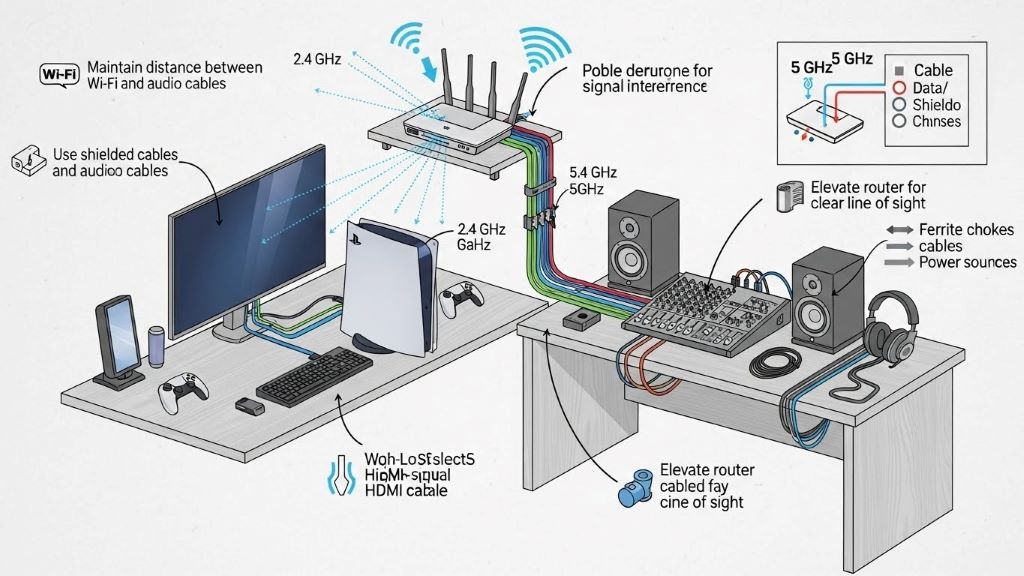
Wi-Fi routers operate on similar frequencies as many wireless headsets. Additionally, other Bluetooth devices in your room create signal congestion. Microwaves, cordless phones, and even baby monitors can disrupt your audio connection. Therefore, placement of your gaming equipment matters significantly.
The 2.4 GHz frequency band becomes particularly crowded in modern homes. Most wireless gaming headsets use this frequency range. Your PS5 also relies on this spectrum for controller connectivity. This overlap creates potential for signal interference and audio dropouts.
Recognizing Hidden Audio Conflicts
Audio conflicts manifest in several ways during gameplay. You might experience crackling sounds or periodic disconnections. Sometimes the audio cuts out entirely for brief moments. These symptoms indicate underlying wireless interference issues.
Latency problems represent another common conflict indicator. Your audio might not sync properly with on-screen action. This delay becomes especially noticeable during fast-paced games. Moreover, competitive gaming suffers greatly from even minor audio lag.
Signal strength fluctuations also point to hidden conflicts. Your headset might work perfectly one moment and fail the next. These inconsistencies suggest environmental interference rather than hardware failure. Understanding these patterns helps diagnose the actual problem.
USB Wireless Dongles vs Native Bluetooth
Many gaming headsets include dedicated USB wireless dongles. These dongles use proprietary protocols optimized for gaming. They typically offer better performance than standard Bluetooth connections. Additionally, they bypass the PS5’s Bluetooth limitations entirely.
USB wireless adapters communicate on specific channels. This dedicated communication reduces interference from other devices. The connection remains more stable during intense gaming sessions. Furthermore, these dongles often provide lower latency than Bluetooth alternatives.
However, USB dongles occupy valuable console ports. The PS5 has limited USB connections available. Players must balance peripheral needs with audio requirements. This trade-off becomes important for extensive gaming setups.
Troubleshooting Wireless Audio Issues
Start troubleshooting by isolating potential interference sources. Turn off nearby Bluetooth devices temporarily. Move your Wi-Fi router away from the console if possible. These simple steps can dramatically improve audio quality.
Check your headset’s battery level and firmware version. Low battery causes connectivity problems and audio degradation. Manufacturers regularly release firmware updates addressing compatibility issues. Therefore, keeping your devices updated prevents many common problems.
Reset your audio device and re-pair it with the console. This process clears corrupted connection data. Additionally, it establishes a fresh link between devices. Many persistent issues resolve through this simple step.
Optimizing Your Gaming Environment
Physical setup significantly impacts wireless audio performance. Position your console away from metal objects and thick walls. These materials block and reflect wireless signals. Creating clear line-of-sight improves connection reliability.
Maintain reasonable distance between your headset and console. Most wireless headsets work best within 30 feet. Obstacles between devices reduce this effective range. Additionally, sitting too close to the console can cause interference from internal components.
Consider the layout of other electronics in your space. Arrange devices to minimize signal overlap. According to Sony’s official support documentation, proper equipment spacing prevents many connectivity problems. Strategic placement creates a cleaner wireless environment.
Advanced Conflict Detection Methods
Monitor your network’s wireless channels using smartphone apps. These tools show which frequencies are congested. You can then adjust your router settings accordingly. This proactive approach prevents future interference issues.
Test your audio setup at different times of day. Interference patterns often change with household activity. Identifying peak conflict periods helps you understand your environment. Moreover, this knowledge guides equipment placement decisions.
Use process of elimination to identify problematic devices. Disable wireless devices one at a time while testing audio. This methodical approach pinpoints specific interference sources. Subsequently, you can address those particular devices.
Alternative Audio Solutions
Wired connections eliminate wireless interference entirely. The PS5 controller includes a 3.5mm audio jack. This option provides reliable, zero-latency audio. However, it sacrifices the freedom of wireless movement.
Consider upgrading to premium wireless gaming headsets. Higher-end models often include better interference management. They use advanced frequency-hopping technology. These features maintain stable connections in crowded wireless environments.
Some players benefit from dedicated gaming audio adapters. These devices connect via optical or USB ports. They offer enhanced audio processing and reduced interference. Additionally, they provide more connection options for various headsets.
Preventing Future Audio Conflicts
Regular maintenance keeps your audio setup running smoothly. Clean USB ports and connections periodically. Dust accumulation can cause intermittent connectivity issues. Therefore, simple cleaning prevents many problems.
Document your wireless setup and any changes you make. Note which solutions work for your specific environment. This record helps troubleshoot future issues quickly. Moreover, it assists when upgrading or replacing equipment.
Stay informed about PS5 system updates and patches. Sony regularly improves wireless connectivity through software updates. These updates often resolve compatibility issues with various headsets. Keeping your console updated ensures optimal performance.
Conclusion
Detecting and resolving PS5 wireless audio conflicts requires understanding multiple factors. From recognizing Bluetooth limitations to identifying interference sources, each element plays a crucial role. The PS5’s unique audio architecture presents both challenges and solutions. However, with proper troubleshooting and environmental optimization, you can achieve excellent wireless audio quality. Remember that interference often comes from unexpected sources in your gaming space. By systematically addressing these conflicts, you’ll enjoy immersive, uninterrupted gaming experiences. Taking time to optimize your setup pays dividends in audio reliability and overall gaming satisfaction.
Frequently Asked Questions
Can I use any Bluetooth headphones with PS5?
No, the PS5 doesn’t support standard Bluetooth audio devices directly. You need either headphones with a USB wireless dongle or specific compatible Bluetooth devices. Alternatively, you can use wired headphones through the controller’s audio jack.
Why does my PS5 wireless headset keep disconnecting?
Disconnections typically result from wireless interference from nearby devices. Wi-Fi routers, other Bluetooth gadgets, and household electronics can disrupt the signal. Moving interference sources away or repositioning your console often resolves this issue.
How do I reduce audio lag on my PS5 wireless headset?
Use headsets with dedicated USB wireless dongles rather than Bluetooth connections. These provide lower latency designed specifically for gaming. Additionally, ensure your headset firmware is updated and maintain clear line-of-sight between devices.
Does the PS5 controller support wireless headphones?
The PS5 controller supports wired headphones through its 3.5mm jack. However, it doesn’t directly connect to wireless Bluetooth headphones. You must pair wireless headphones with the console itself, not the controller.
What’s the best wireless frequency for PS5 gaming headsets?
Headsets using 5 GHz frequencies or proprietary wireless protocols offer better performance. The common 2.4 GHz band becomes crowded with Wi-Fi and Bluetooth devices. Premium gaming headsets with dedicated wireless technology provide the most reliable connections.
Related Topics:
NAT and Gaming: Improving Your Online Gameplay